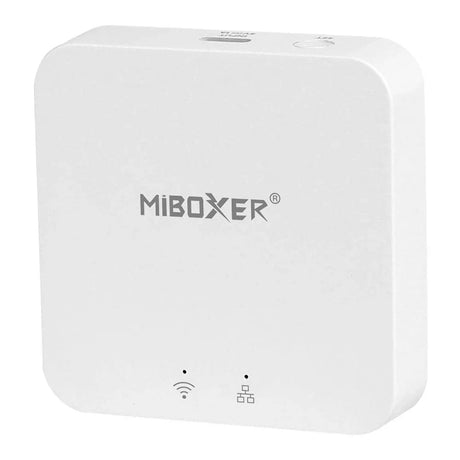
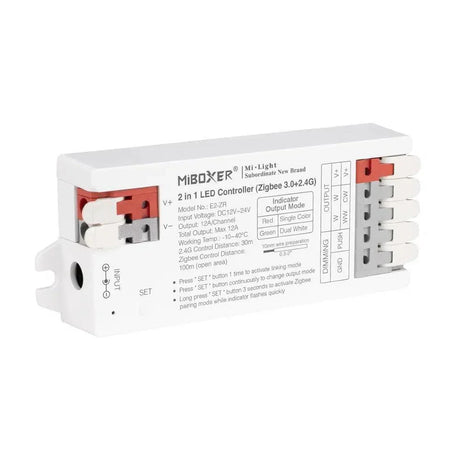
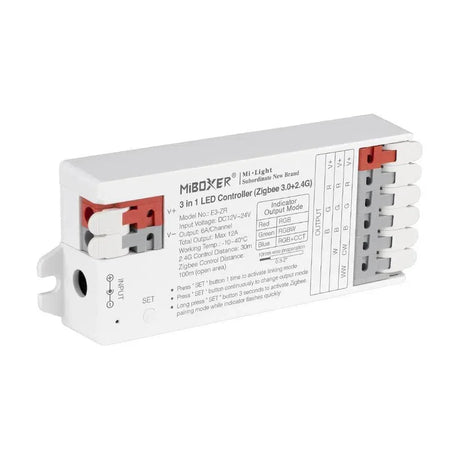
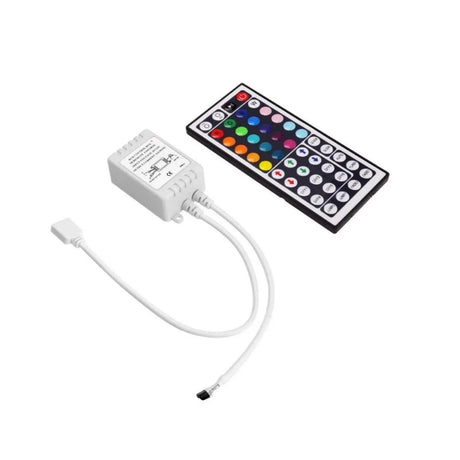
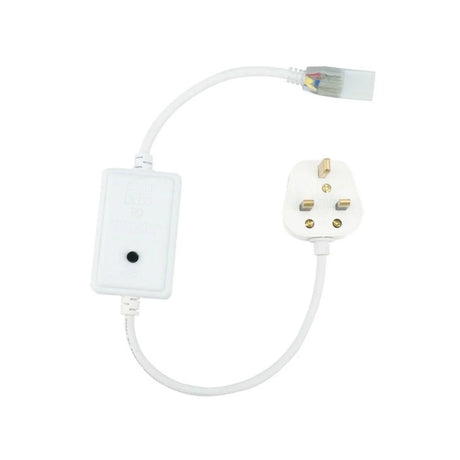
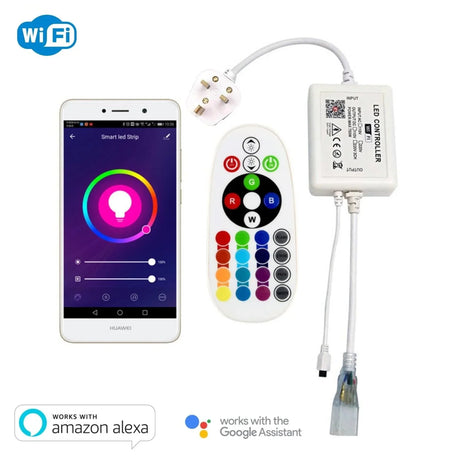
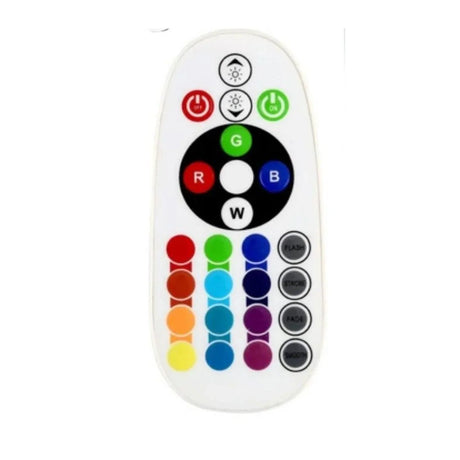
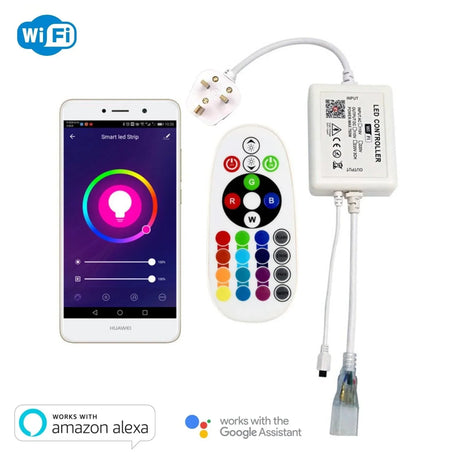
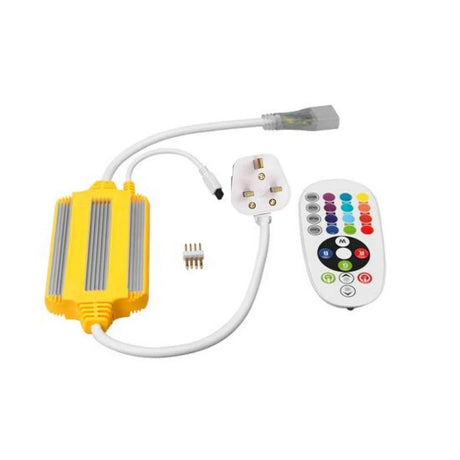
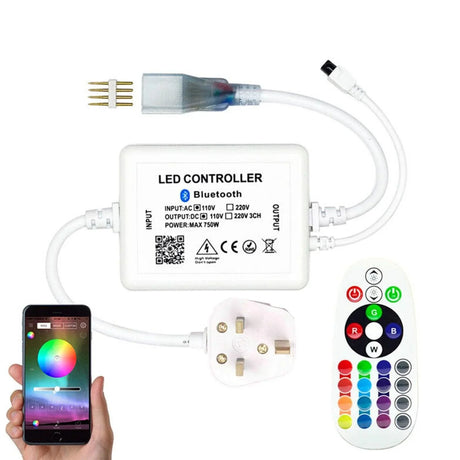
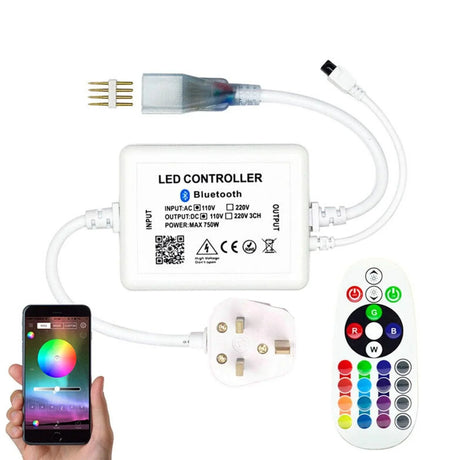
Choosing the right LED controller determines whether your strip installation dims smoothly, changes colour accurately, and responds to voice commands without delay. Get it wrong and you face flickering, dead channels, or a system that simply will not pair with your smart home.
UK LED Lights stocks Miboxer, Skydance, and GLEDOPTO controllers across WiFi, Zigbee, Bluetooth, RF remote, and wired configurations — covering single-colour dimming through to full RGBCCT and digital pixel SPI control for 5V, 12V, 24V, and 48V LED strip systems. Every unit ships from our Telford warehouse with free UK delivery and full technical support on 01952 370008.
WiFi · Zigbee · Bluetooth · RF · Wired · Single-Colour · CCT · RGB · RGBW · RGBCCT · SPI Pixel · 5V · 12V · 24V · 48V · Miboxer · Skydance · GLEDOPTO · Alexa · Google Home · Apple HomeKit
Quick decision summary: If you need basic on/off dimming for a single-colour strip, a single-channel RF dimmer is the simplest option. If you want app and voice control for RGB or RGBW strip, pick a WiFi 5-in-1 controller — no hub required. If your home already runs Zigbee through SmartThings, Hue, or Home Assistant, a GLEDOPTO Zigbee controller slots straight in. For commercial multi-zone projects, Skydance receivers with wall panels give you professional-grade precision. For addressable pixel effects, you need an SPI controller matched to your strip's IC protocol.
Who LED controllers are for: homeowners adding smart lighting to kitchens, bedrooms, and living spaces; interior designers specifying colour-tuneable schemes; electricians wiring multi-zone commercial fit-outs; home automation enthusiasts integrating LED strip into Zigbee or WiFi ecosystems; and anyone upgrading from a basic on/off switch to full dimming and colour control.
Who LED controllers are NOT for: if you only need a simple plug-and-play warm white strip with no dimming, you do not need a controller — a fixed-output driver will do. Controllers are also not a substitute for a mains dimmer switch on your wall — they sit between the driver and the strip on the low-voltage DC side. If you need mains-side dimming, you need a TRIAC dimmable driver and a trailing-edge wall dimmer instead.
Common buying mistakes to avoid:
-
Mismatching channel count to strip type: An RGB controller has 3 channels. Connecting it to an RGBW strip means the dedicated white channel will not work. Always match: single-colour = 1 channel, CCT = 2, RGB = 3, RGBW = 4, RGBCCT = 5.
-
Using a dimmable driver with an RGB or RGBW controller: RGB and RGBW strips must be paired with a non-dimmable constant-voltage driver. The controller handles all dimming via PWM. A dimmable driver causes flicker, colour shift, and premature failure of both controller and strip.
-
Connecting to a 5GHz-only WiFi network: Almost every WiFi LED controller on the market requires a 2.4GHz network. If your router broadcasts only 5GHz, the controller will not connect. Check your router settings before purchasing.
-
Ignoring wattage headroom: Your controller's maximum wattage rating must exceed your total strip wattage by at least 15–20%. A controller running at 100% capacity overheats and fails early.
-
Using an SPI controller without matching the IC protocol: Digital pixel strips use specific ICs — WS2812B, WS2811, SK6812, APA102, and others. Your SPI controller must support the exact IC on your strip or it will not communicate at all.
Jump to section:
- What types of LED controller are available in 2026?
- How do you match an LED controller to your strip type?
- Which WiFi LED controllers work with Alexa and Google Home?
- What is a 5-in-1 LED controller and when should you use one?
- How do Zigbee LED controllers compare to WiFi for smart homes?
- What do you need to know about SPI digital pixel controllers?
- How do you calculate the correct controller wattage for your LED strip run?
- Can you control 220V/240V mains voltage LED strip without a low-voltage driver?
- How should you wire an LED controller into a multi-zone installation?
- Why buy LED controllers from UK LED Lights?
What types of LED controller are available in 2026?
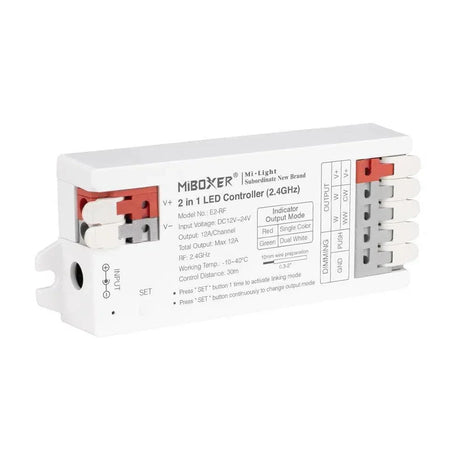
LED controllers fall into six main categories based on their communication method: RF remote, WiFi, Bluetooth, Zigbee, wired inline, and SPI digital. Each type suits different installation scenarios — RF for simplicity without internet, WiFi for voice and app control, Zigbee for mesh-network smart homes, and SPI for addressable pixel effects requiring individual LED control.
Understanding what each type does — and does not do — helps prevent the most common purchasing errors in 2026 LED strip projects across the UK.
RF (Radio Frequency) Controllers
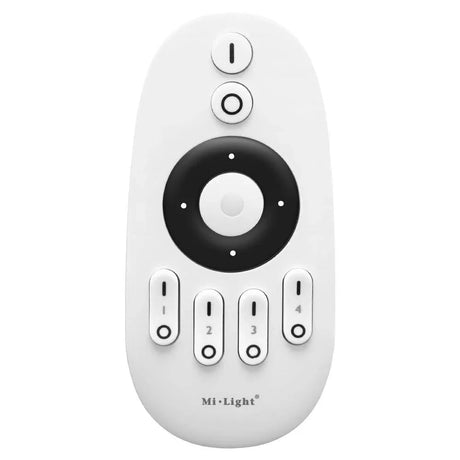
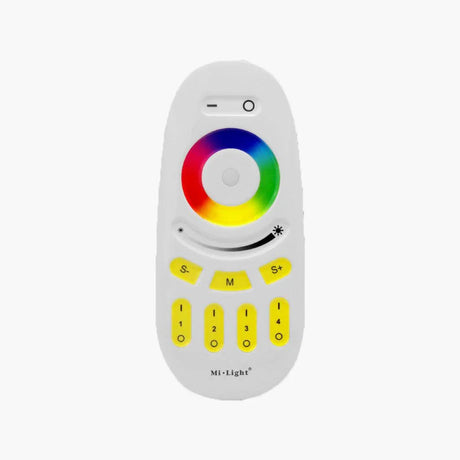
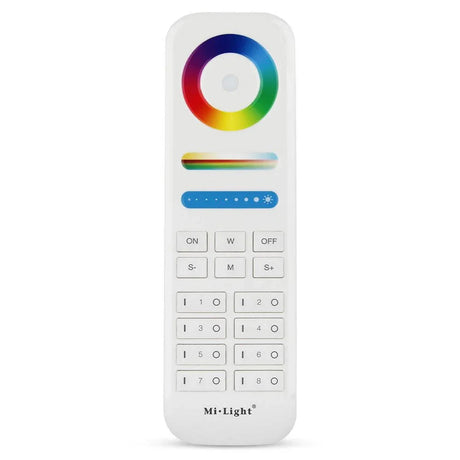
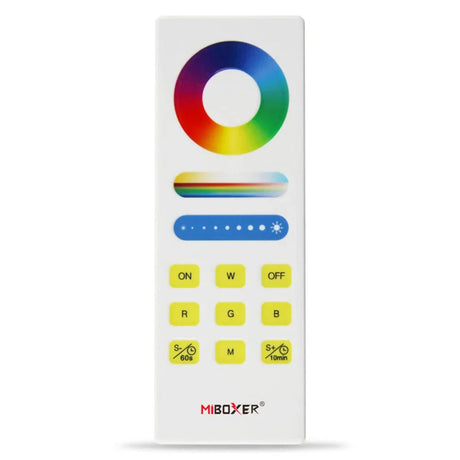
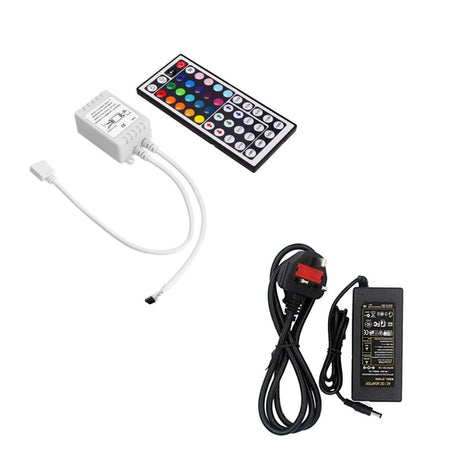
RF controllers use a 2.4GHz radio signal between a handheld remote and a receiver unit wired between your driver and strip. The signal passes through walls, ceilings, and cabinetry — unlike infrared, which needs direct line of sight. RF remains the most reliable option for installations where internet is unavailable or unnecessary. Range typically reaches 20–30 metres through standard UK domestic walls. Miboxer and Skydance both produce RF remotes and receivers that are cross-compatible, giving you flexibility to mix wall panels from one brand with receivers from another.
WiFi Controllers
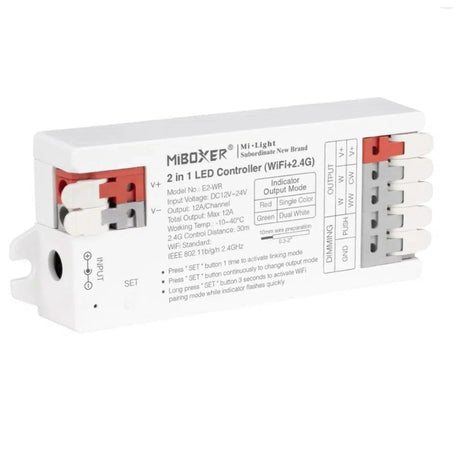
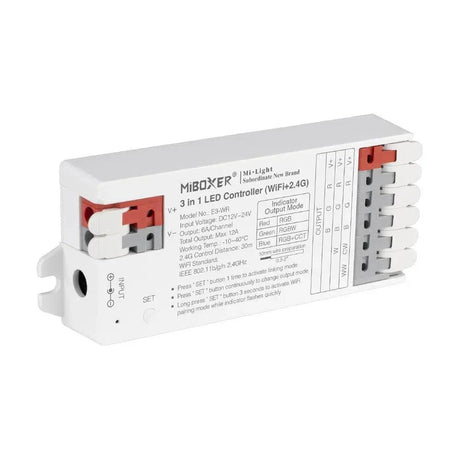
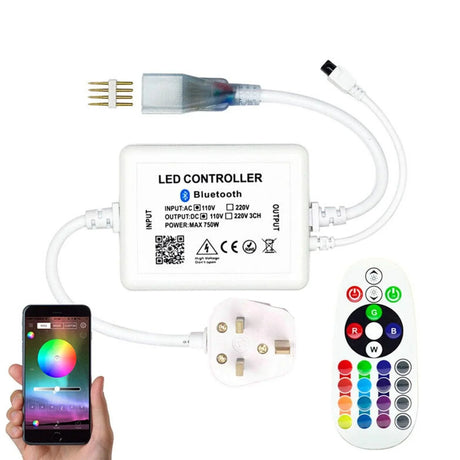
WiFi controllers connect directly to your home router on the 2.4GHz band and are controlled through a smartphone app — typically Tuya, Smart Life, or a manufacturer-specific app. Most WiFi controllers also support Amazon Alexa, Google Home, and in some cases Apple HomeKit for voice control. No separate hub is required. The trade-off is that WiFi controllers depend on your network — if the router goes down, app and voice control stop working, though some models retain their last state.
Bluetooth Controllers
Bluetooth controllers pair directly with your phone within a 10–15 metre range. They work without internet and without a hub, making them a good fit for single-room installations where you want app control but do not want to involve your WiFi network. The limitation is range — Bluetooth will not reach from one floor to another in most UK homes.
Zigbee Controllers
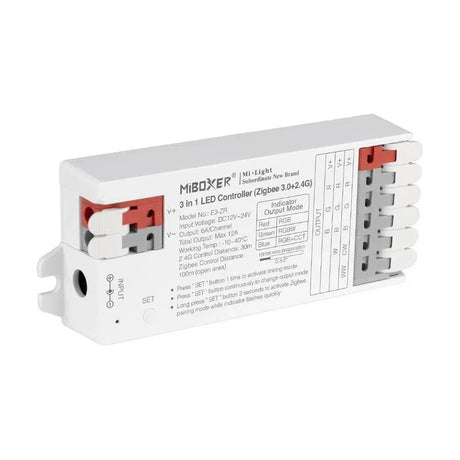
Zigbee controllers communicate through a mesh network via a compatible hub — SmartThings, Philips Hue Bridge, Amazon Echo (with built-in Zigbee), or Home Assistant with a Zigbee coordinator. GLEDOPTO is the leading Zigbee LED strip controller brand in 2026. The advantage of Zigbee is reliability: each device in the mesh strengthens the network, and control continues to work locally even if your internet drops. Zigbee also consumes less idle power than WiFi.
Wired Inline Controllers
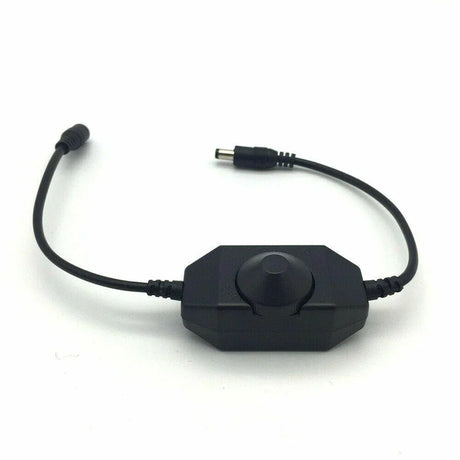
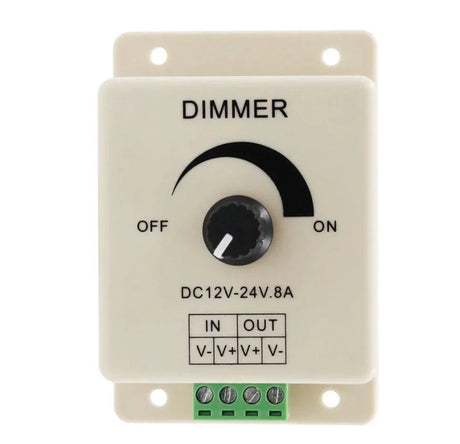
Wired inline controllers sit physically between the driver output and the strip input. They are operated by a button, dial, or wall-mounted touch panel connected by low-voltage cable. Wired controllers have zero wireless interference, zero latency, and zero dependency on apps, networks, or hubs. They are the preferred choice for commercial installations and any setting where reliability must be absolute.
SPI Digital Pixel Controllers
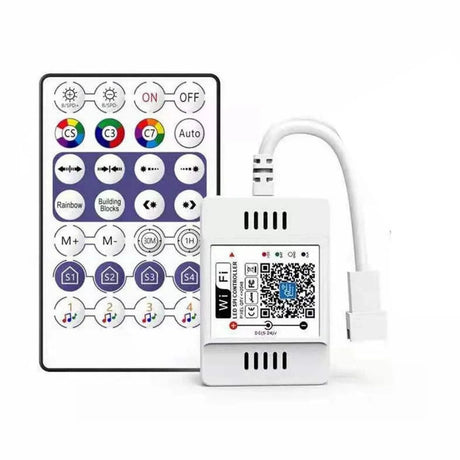
SPI controllers send data signals to addressable LED strips where every LED (or every group of 3 LEDs) can be controlled individually. This enables running effects, rainbow chases, colour-reactive audio sync, and pixel-mapped architectural lighting. SPI controllers must match the specific IC protocol of your strip — WS2812B, WS2811, SK6812, APA102, or others. They support 5V, 12V, and 24V strips and are essential for any installation requiring dynamic or programmable effects. Call our technical team on 01952 370008 if you need help matching an SPI controller to your strip IC.
| Controller Type |
Signal Method |
Hub Required |
Range |
Best For |
| RF Remote |
2.4GHz radio |
No |
20–30m through walls |
Simple installs, no internet needed |
| WiFi |
2.4GHz WiFi |
No (router only) |
Router range |
Voice control, app scheduling |
| Bluetooth |
Bluetooth 5.0 |
No |
10–15m |
Single room, no network |
| Zigbee |
Zigbee 3.0 mesh |
Yes |
Mesh-dependent |
Smart home ecosystems |
| Wired Inline |
Physical cable |
No |
Cable length |
Commercial, zero latency |
| SPI Digital |
Data wire (SPI) |
No |
Data wire length |
Pixel effects, addressable strip |
How do you match an LED controller to your strip type?
Match your controller's channel count to your strip's colour channels: single-colour strips need a 1-channel dimmer, CCT tuneable-white strips need 2 channels, RGB strips need 3, RGBW strips need 4, and RGBCCT strips need 5. Using the wrong channel count means lost functionality — an RGB controller on an RGBW strip leaves the white channel dead.
Beyond channel count, you must also match voltage. A 12V controller will not safely drive a 24V strip, and vice versa. Most controllers from Miboxer and Skydance are rated 12–24V DC and will auto-detect within that range, but always verify the specification. For 48V strip systems, you need a controller explicitly rated for 48V — standard 12–24V units will fail immediately.
The second critical match is current capacity. Every controller specifies a maximum amperage per channel — typically 4A, 5A, or 6A. Calculate your strip's total current draw and ensure it falls within the controller's rated capacity with at least 15–20% headroom. For example, if your strip draws 4.2A across the RGB channels, a controller rated at 4A per channel is already overloaded. You need at least a 5A-per-channel unit.
| Strip Type |
Channels Required |
Controller Type |
Driver Requirement |
| Single-colour (warm, cool, natural white) |
1 |
Single-channel dimmer |
Non-dimmable constant voltage |
| CCT tuneable white |
2 |
CCT controller or 5-in-1 |
Non-dimmable constant voltage |
| RGB |
3 |
RGB controller or 5-in-1 |
Non-dimmable constant voltage |
| RGBW |
4 |
RGBW controller or 5-in-1 |
Non-dimmable constant voltage |
| RGBCCT |
5 |
5-in-1 / RGBCCT controller |
Non-dimmable constant voltage |
| Addressable pixel (WS2812B, SK6812, etc.) |
Data + power |
SPI pixel controller |
Matched to IC voltage (5V/12V/24V) |
A common question from customers is whether a 5-in-1 controller can replace individual dedicated controllers. In most residential projects, yes — a 5-in-1 unit handles all five strip types by switching output mode. For commercial or architectural projects where maximum current capacity and zero-compromise PWM quality matter, a dedicated controller for your specific strip type can offer higher per-channel amperage and more refined dimming curves. Contact sales@ukledlights.co.uk for advice on which approach suits your project.
Which WiFi LED controllers work with Alexa and Google Home?
WiFi LED controllers from Miboxer and GLEDOPTO connect to Amazon Alexa and Google Home through Tuya or Smart Life apps without any additional hub. Once paired, you can use voice commands to turn strips on and off, set brightness levels, change colours, adjust colour temperature, and trigger preset scenes — all hands-free from anywhere in your home.
Setup in 2026 takes under five minutes: download the Tuya or Smart Life app, create an account, put the controller into pairing mode, and the app discovers it on your 2.4GHz WiFi network. Once added, link the app to your Alexa or Google Home account, and the controller appears as a device you can assign to rooms and include in routines.
Key points for WiFi controller buyers in the UK:
-
2.4GHz WiFi is mandatory: No current WiFi LED controller supports 5GHz-only networks. If your router is set to 5GHz only, you must enable the 2.4GHz band or use a dual-band router. This is the single most common reason for failed pairing.
-
No hub required: WiFi controllers connect directly to your router. You do not need a SmartThings hub, Hue Bridge, or any other gateway device.
-
Timer and scheduling: Set strips to turn on at sunset, dim at 10pm, and turn off at midnight — all automated through the app without touching a remote.
-
Music sync: Many WiFi controllers include a microphone mode that syncs strip colour and brightness to ambient sound — useful for entertaining areas.
-
Group control: Name and group multiple controllers in the app to control entire rooms or floors with a single command.
-
Away-from-home control: Because WiFi controllers connect through your router to the cloud, you can control your lighting from anywhere with an internet connection — useful for security lighting schedules while travelling.
For Apple HomeKit users, check the specific controller model — not all Tuya-based controllers support HomeKit natively, though many can be bridged through Home Assistant or Homebridge. Ring our team on 01952 370008 to confirm HomeKit compatibility before purchasing.
What is a 5-in-1 LED controller and when should you use one?
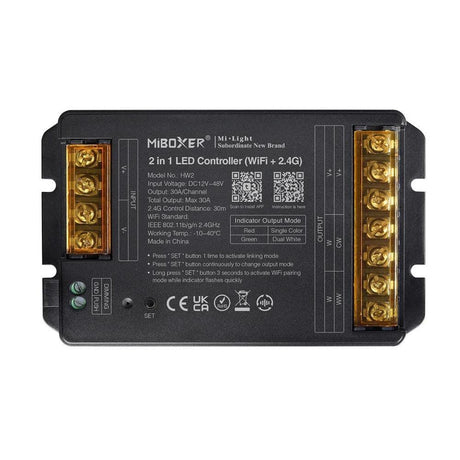
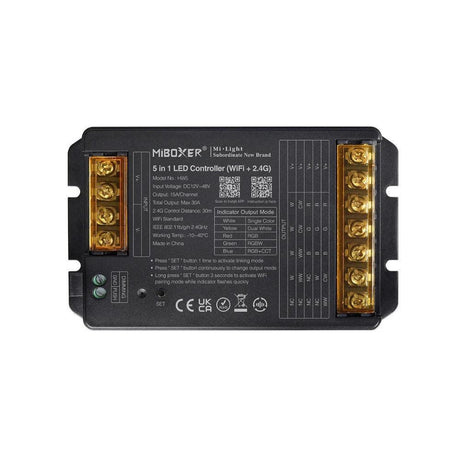
A 5-in-1 LED controller is a single unit that supports five strip types — single-colour, CCT, RGB, RGBW, and RGBCCT — by switching between output modes. This significantly reduces the need to stock or install separate controllers for different strip types, making it one of the most versatile options for installers, designers, and homeowners who may change or expand their lighting scheme over time.
The 5-in-1 approach has become the dominant format in 2026 for good reason. A single SKU covers every common analogue LED strip type. When you connect a strip, you select the matching output mode on the controller or app, and the unit configures its channels accordingly. This is particularly valuable for electricians and contractors who need to carry fewer components to site.
When a 5-in-1 controller makes sense:
-
Mixed-strip projects: A kitchen with warm white under-cabinet strip (single-colour, 1 channel) and RGB accent strip in a display niche (3 channels) can both be controlled by 5-in-1 units of the same model, simplifying your inventory.
-
Future flexibility: If you install CCT tuneable white now but later want to upgrade to RGBW, the same controller supports the new strip — just switch the output mode.
-
Fewer SKUs for installers: One controller model covers all analogue strip types, reducing the risk of arriving on site with the wrong unit.
When a dedicated controller is the better choice:
-
High-wattage commercial runs: A dedicated RGB controller may offer 6A per channel compared to 4A on a 5-in-1. For long or high-density strip runs, that extra headroom matters.
-
DMX and DALI installations: Professional protocol systems typically use dedicated decoders rather than consumer-grade 5-in-1 units.
-
Maximum dimming precision: Dedicated single-channel dimmers from Skydance and Ltech offer the smoothest dimming curves for single-colour architectural lighting.
How do Zigbee LED controllers compare to WiFi for smart homes?
Zigbee LED controllers use a low-power mesh network that remains operational even when your internet drops, while WiFi controllers depend on your router and cloud connection. Zigbee offers lower idle power consumption (typically under 0.5W versus 1–2W for WiFi), better reliability in homes with many smart devices, and local control through hubs like SmartThings, Philips Hue, or Home Assistant.
The choice between Zigbee and WiFi in 2026 depends on your existing smart home setup and how many LED zones you plan to control.
Choose WiFi when:
-
You have no smart home hub: WiFi controllers need only your router and a free app. Zero additional hardware.
-
You are controlling 1–5 zones: A small number of WiFi devices will not congest your network.
-
You want the fastest setup: Download an app, pair the controller, and you are running in under five minutes.
-
You need away-from-home control: Cloud-connected WiFi gives you remote access from anywhere.
Choose Zigbee when:
-
You already run a Zigbee ecosystem: SmartThings, Hue, Amazon Echo with Zigbee, or Home Assistant with a Zigbee coordinator. Adding a GLEDOPTO controller is a one-step pairing process.
-
You want local control without cloud dependency: Zigbee operates through your hub on the local network. Internet outages do not affect operation.
-
You are running 10+ smart devices: Each WiFi device occupies a slot on your router's connection table. Zigbee devices communicate through a separate mesh that does not load your WiFi network.
-
Lower idle power matters: In a home with dozens of controllers, the difference between 0.4W and 1.8W per unit adds up across a year.
| Feature |
WiFi Controller |
Zigbee Controller |
| Hub required |
No (router only) |
Yes (Zigbee hub) |
| Internet required for control |
Yes (cloud-based) |
No (local mesh) |
| Typical idle power |
1–2W |
0.3–0.5W |
| Setup speed |
Under 5 minutes |
Under 5 minutes (with hub) |
| Voice assistant support |
Alexa, Google Home, some HomeKit |
Alexa, Google Home (via hub) |
| Best for |
Simple setups, no existing hub |
Established smart homes, reliability |
| Network impact |
Adds to WiFi congestion |
Separate mesh, no WiFi load |
If you are unsure which protocol fits your home, email sales@ukledlights.co.uk with a description of your current smart home devices and how many LED zones you plan to control. Our technical team will recommend the right approach.
What do you need to know about SPI digital pixel controllers?
SPI digital pixel controllers send data signals to addressable LED strips where each LED or LED cluster has its own IC chip, allowing individual control of colour and brightness per pixel. Unlike analogue RGB controllers that change the entire strip to one colour, SPI controllers create running effects, rainbow chases, colour wipes, and audio-reactive animations across thousands of individually addressed LEDs.
SPI (Serial Peripheral Interface) is a data protocol — not a power protocol. The controller sends a data signal along a dedicated data wire to the first LED's IC, which reads its instructions and passes the remaining data down the chain to the next IC. This cascading communication allows a single controller to address hundreds or thousands of pixels in sequence.
Critical points for SPI controller selection:
-
IC protocol matching is non-negotiable: Your controller must support the specific IC on your addressable strip. WS2812B and WS2811 are the most common, but SK6812 (RGBW pixel), APA102, WS2813, and WS2801 each use different timing protocols. An incompatible controller will produce no output at all — not just incorrect output.
-
Voltage must match: WS2812B strips typically run at 5V. WS2811 strips are commonly 12V or 24V. Your SPI controller and power supply must match the strip voltage.
-
Pixel count limits: Every SPI controller has a maximum addressable pixel count — commonly 1,024, 2,048, or 4,096 pixels. Calculate your total pixel count before purchasing.
-
Data signal refresh rate: Higher refresh rates (above 400Hz) eliminate visible flicker on camera. This matters for commercial installations, video-backlit displays, and content creation spaces.
-
Power injection: Long addressable strips need power re-injected every 2–3 metres (for 5V) or every 5 metres (for 12V/24V) to prevent voltage drop and colour shift at the far end. The SPI controller handles data only — power must be supplied separately at multiple points along the strip.
SPI pixel controllers are essential for architectural feature lighting, gaming room setups, commercial displays, and any application requiring dynamic programmable effects. Our Telford team can advise on IC compatibility and power injection layouts — call 01952 370008.
How do you calculate the correct controller wattage for your LED strip run?
Multiply your strip's wattage per metre by the total length in metres, then add 15–20% headroom. Your controller's total wattage rating must exceed this figure. For example, a 14.4W/m RGB strip running 5 metres totals 72W — your controller needs a minimum 83–86W rating to run safely without overheating or premature failure.
The calculation works the same whether you are running single-colour, CCT, RGB, RGBW, or RGBCCT strip. The key inputs are:
-
Find your strip's wattage per metre: This is listed on every UK LED Lights product page. Common values: 4.8W/m (decorative), 9.6W/m (task), 14.4W/m (high-output), 19.2W/m (commercial), and 24W/m (high-density COB).
-
Multiply by total length: 14.4W/m x 8 metres = 115.2W total load.
-
Add 15–20% headroom: 115.2W x 1.2 = 138.2W. Your controller must be rated for at least 138W.
-
Check per-channel amperage: For an RGB strip at 24V drawing 115.2W, total current = 115.2 / 24 = 4.8A across three channels = 1.6A per channel. A controller rated at 4A per channel has more than enough headroom per channel, but always verify total amperage too.
For runs exceeding the controller's capacity, you have two options:
-
Use an amplifier/repeater: An RGB amplifier takes the controller's signal and drives an additional section of strip from a separate power supply. This extends your total strip length without overloading the controller. Wire the amplifier in parallel from an independent driver.
-
Use multiple controllers: For multi-zone projects, each zone can have its own controller and driver, all managed from a single remote or app. Miboxer and Skydance systems support multi-zone control from one remote.
Never run a controller at its maximum rated capacity continuously. Heat build-up at 100% load shortens component life, may cause thermal shutdown, and voids most manufacturer warranties. The 15–20% headroom rule applies in every 2026 installation — domestic or commercial.
Can you control 220V/240V mains voltage LED strip without a low-voltage driver?
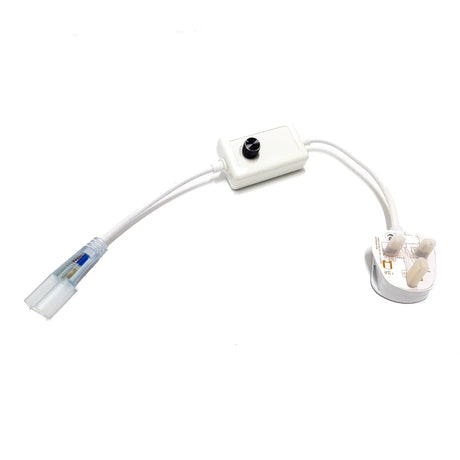
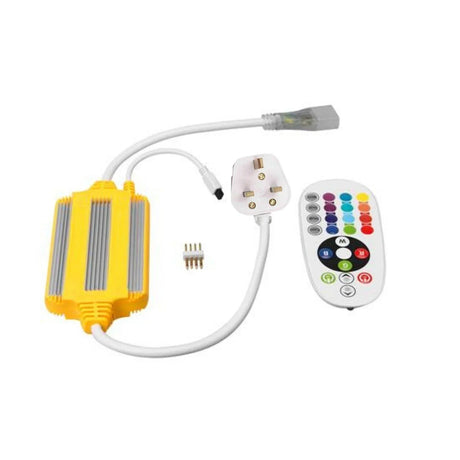
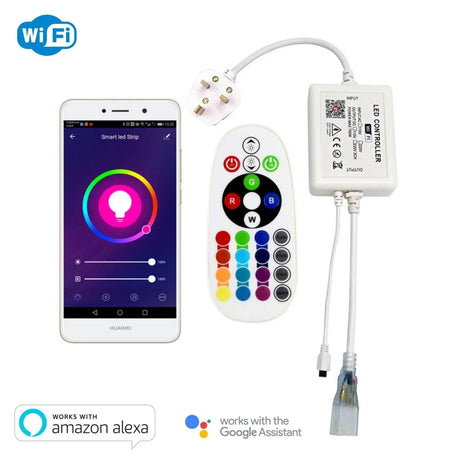
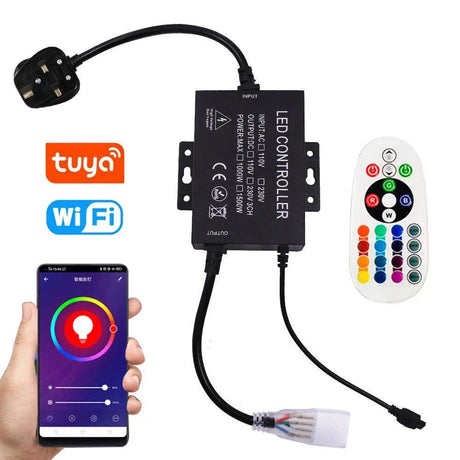
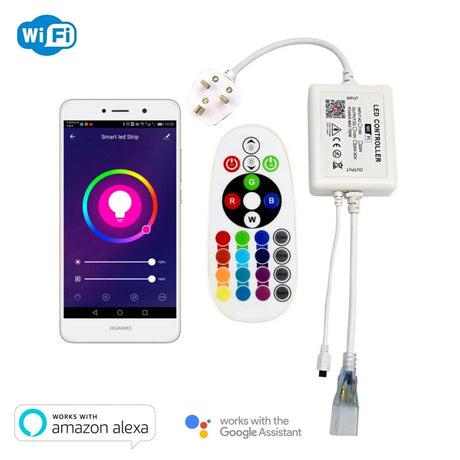
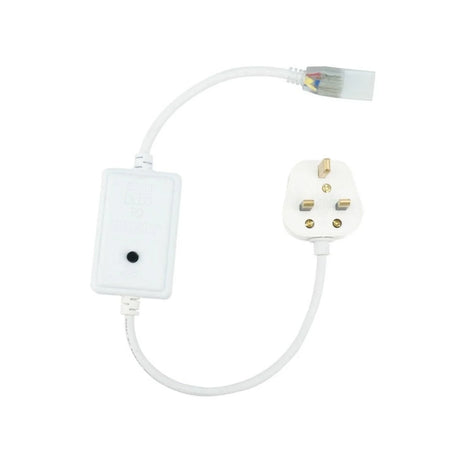
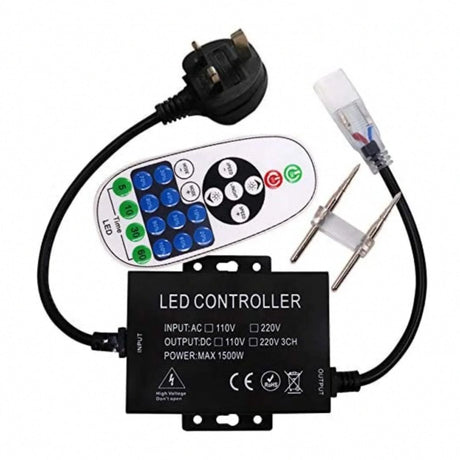
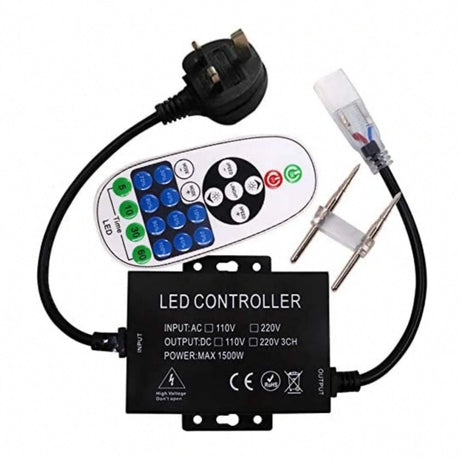
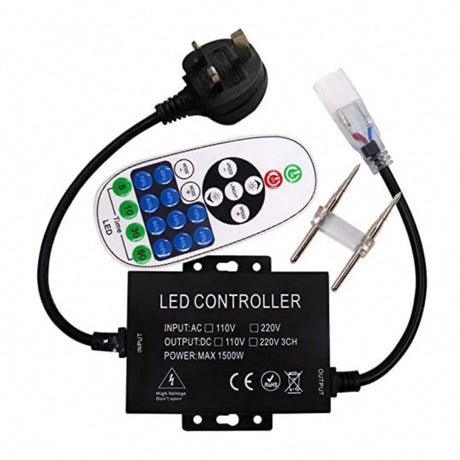
Yes — 220V/240V mains voltage LED strip connects directly to mains power through a dedicated mains-voltage controller, eliminating the need for a separate low-voltage DC driver. These controllers handle on/off switching, dimming, and RGB colour control at mains voltage, making them a practical solution for long continuous runs of mains-rated strip where running a separate driver would be impractical.
Mains voltage controllers are designed specifically for AC mains-rated LED strip — typically 220V or 240V AC strip sold in lengths up to 50 or 100 metres on a single run. They are not interchangeable with 12V, 24V, or 48V DC controllers.
Key differences between mains and low-voltage controllers:
-
No separate driver required: Mains strip plugs into a rectifier and then into the mains controller. The controller handles power and signal in one unit.
-
Longer maximum runs: Mains strip typically runs up to 50–100 metres continuously without voltage drop concerns — far longer than any DC strip.
-
Fewer colour mixing options: Mains RGB controllers generally offer preset colours and basic effects. They do not match the smooth mixing, tuneable white, or advanced scene programming available on DC controllers.
-
Safety considerations: Mains voltage strip and controllers operate at 220–240V AC. Installation should follow BS7671 wiring regulations. Mains strip must not be hardwired permanently in most residential applications — use a plug-and-socket connection for easy disconnection.
-
No smart home integration on most models: While WiFi mains controllers do exist, the majority of mains-voltage controllers in 2026 use RF remotes only.
If you need voice control, app scheduling, or smart home integration, a low-voltage DC system (12V, 24V, or 48V strip with a separate driver and WiFi/Zigbee controller) offers far more functionality. Mains controllers are best suited for simple long-distance accent or perimeter lighting where simplicity and maximum run length are the priorities.
How should you wire an LED controller into a multi-zone installation?
Wire each zone with its own controller and driver pair, connected in parallel back to the mains supply. Each controller operates its strip zone independently while being managed from a single multi-zone remote or app. Parallel wiring is essential — series wiring multiplies voltage drop and creates uneven brightness across zones, which is the most common wiring mistake in multi-zone LED projects.
A typical multi-zone setup in a UK home might include under-cabinet kitchen lighting (zone 1), living room cove lighting (zone 2), and bedroom ceiling perimeter (zone 3). Each zone gets:
-
Its own constant-voltage driver — sized to the strip length in that zone with 15–20% headroom.
-
Its own controller/receiver — all from the same system (for example, all Miboxer or all Skydance) so they respond to the same remote.
-
Parallel wiring back to the mains — each driver connects to the mains supply independently, not daisy-chained through other zones.
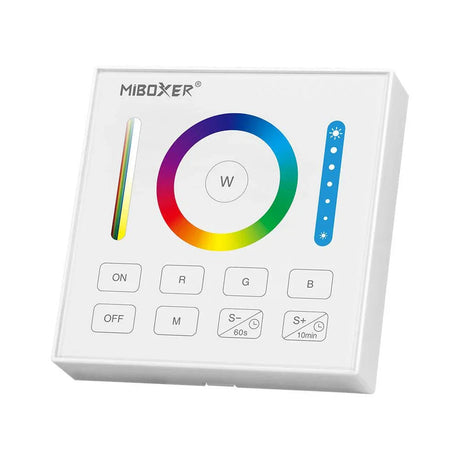
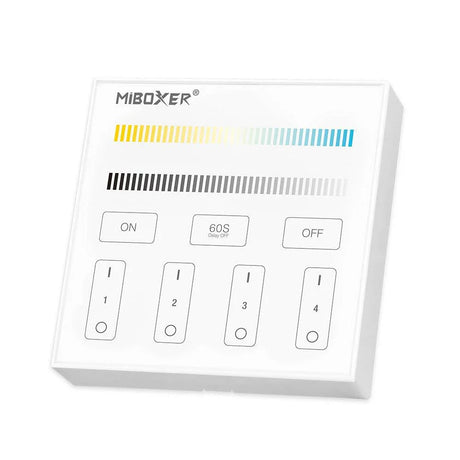
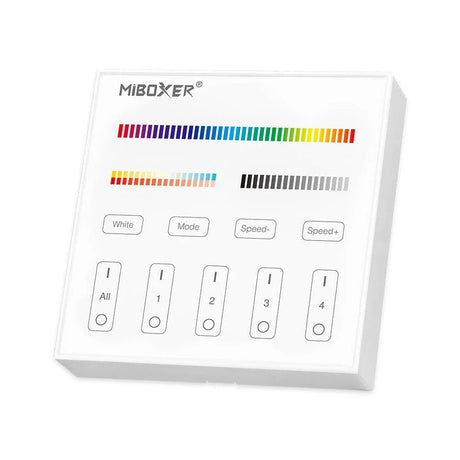
For multi-zone remote control, both Miboxer and Skydance offer remotes and wall panels that support 4, 8, or more zones. Each zone is assigned a number, and the remote lets you control zones individually or all together. This means you can dim the kitchen to 30%, set the living room to warm white at 80%, and run an RGB colour cycle in the bedroom — all from one wall panel.
Wiring best practices for 2026 installations:
-
Always wire in parallel: Each driver-controller-strip circuit runs independently. Never chain one driver's output through to another zone.
-
Use amplifiers for long runs within a zone: If one zone exceeds the controller's wattage capacity, add an amplifier powered by a second driver rather than overloading the primary controller.
-
Keep controller placement accessible: Controllers generate heat during operation. Mount them in ventilated spaces — inside ceiling voids, behind removable access panels, or within ventilated profile end caps. Never seal a controller inside an unventilated enclosure.
-
Label every zone at the distribution board: Multi-zone installations become maintenance headaches without clear labelling. Tag each driver and controller with its zone number at the time of installation.
-
48V systems halve voltage drop: For long runs across large spaces, 48V strip and controllers cut voltage drop to half that of 24V at the same wattage over the same distance — worth considering for open-plan commercial spaces.
For project wiring advice, our technical team is available Monday to Friday, 9am–5pm on 01952 370008 or by email at sales@ukledlights.co.uk.
Why buy LED controllers from UK LED Lights?
UK LED Lights stocks Miboxer, Skydance, and GLEDOPTO controllers from our Telford, Shropshire warehouse — meaning same-day dispatch, free UK delivery, and direct access to a technical team that has specified and installed these exact products across hundreds of residential and commercial projects since the company was established.
-
Free UK delivery on every order: No minimum spend, no hidden charges. Controllers ship the same day for orders placed before 2pm Monday to Friday.
-
Technical support from people who install: Our team does not read from a script. Call 01952 370008 with your project details — strip type, length, number of zones, smart home platform — and we will specify the exact controller, driver, and wiring configuration you need.
-
Matched systems, not loose components: We sell complete controller-driver-strip systems that are tested together. No guesswork on compatibility, voltage matching, or channel configuration.
-
UK stock, UK support: Every controller listed on ukledlights.co.uk is held in our Telford warehouse. You are not waiting for overseas shipping or dealing with international returns.
-
Trade accounts available: Electricians, contractors, and interior designers can apply for trade pricing. Email sales@ukledlights.co.uk with your company details.
-
Warranty on every product: All controllers carry a full manufacturer warranty. If a unit develops a fault, we handle the replacement directly — no chasing overseas suppliers.
-
Our Telford support team diagnoses controller pairing issues daily — 90% are solved in a single phone call without a return.
-
We test every controller model against our strip range before listing it — incompatible units never reach the website.
UK LED Lights Ltd (Company No: 12301805) operates from Unit D4, Stafford Park 4, Telford, Shropshire, TF3 3BA. We are open Monday to Friday, 9am–5pm.
Browse the full LED controller range | Shop LED strip lights | View LED drivers | LED strip accessories
How do WiFi, Zigbee, RF, and Bluetooth LED controllers compare?
Controller protocol affects range, voice control, and smart home integration — here is how the four main options compare in practice.
| Feature |
WiFi |
Zigbee |
RF Remote |
Bluetooth |
| Hub required |
No (router only) |
Yes (Zigbee hub) |
No |
No |
| Voice control |
Alexa, Google Home |
Via hub |
No |
No |
| Range |
Router range |
Mesh-dependent |
20-30m through walls |
10-15m |
| Internet dependency |
Yes (cloud-based) |
No (local mesh) |
No |
No |
| Setup time |
Under 5 minutes |
Under 5 minutes with hub |
Instant |
Under 2 minutes |
| Best for |
Smart homes, voice control |
Established smart ecosystems |
Simple, reliable, no network |
Single room, quick setup |
WiFi suits most smart home setups in 2026. Zigbee is preferred for established ecosystems. RF is the most reliable when no network is available. Bluetooth works for single-room installations. Call 01952 370008 for help matching a controller to your project.
Frequently Asked Questions — LED Strip Light Controllers
Do I need a controller for single-colour LED strip?
-
Not always. If you only need on/off switching with no dimming, a non-dimmable driver powers the strip directly.
- If you want brightness control, a single-channel dimmer controller sits between the driver and strip to provide smooth PWM dimming.
- For smart dimming via Alexa or Google Home, a WiFi single-channel controller adds voice and app control to any single-colour strip.
Can I use a standard wall dimmer switch with RGB LED strip?
-
No. RGB and RGBW strip must be controlled by a dedicated RGB/RGBW controller — not a mains wall dimmer.
- A standard trailing-edge dimmer controls the driver's input, not the strip's colour channels. It will not change colours, run effects, or control individual channels.
- Using a dimmable driver with RGB strip causes flicker, colour shift, and premature component failure. Always pair RGB and RGBW strip with a non-dimmable constant-voltage driver and a dedicated controller.
What is the difference between IR and RF LED controllers?
-
IR (infrared) controllers require direct line of sight between the remote and the receiver — the signal cannot pass through walls, furniture, or obstacles.
-
RF (radio frequency) controllers transmit through walls, ceilings, and cabinetry with a typical range of 20–30 metres in a UK domestic setting.
- RF is the preferred choice for any installation where the controller is concealed — behind a pelmet, inside a ceiling void, or within cabinetry.
Will a WiFi LED controller work if my internet goes down?
- Most WiFi controllers depend on a cloud connection for app and voice control. If your internet drops, app control stops.
- Many controllers retain their last state (last colour, last brightness) when the connection is lost, so the lights stay on at their last setting.
- Some controllers with local API support (used with Home Assistant) continue to function on the local network without internet.
- If uninterrupted control is essential, a Zigbee controller with a local hub or an RF remote controller operates independently of your internet connection.
How many LED strip zones can one remote control?
- Miboxer and Skydance remotes typically support 4, 8, or 16 zones depending on the model.
- Each zone has its own controller receiver, driver, and strip run — all operating independently but responding to the same remote.
- WiFi app control through Tuya or Smart Life has no practical zone limit — you can name and group as many controllers as your project requires.
Do LED controllers cause flickering?
- A correctly specified controller does not cause flickering. Flicker occurs when the controller, driver, or strip are mismatched.
-
Most common cause: Using a dimmable driver where a non-dimmable constant-voltage driver is required. The controller handles all dimming via PWM — the driver's job is to supply stable constant voltage only.
-
Second most common cause: PWM frequency too low. Controllers operating below 500Hz may produce visible flicker at low brightness, especially on camera. Higher-quality controllers from Miboxer and Skydance typically run at 1,000Hz or above.
- If you experience flicker after installation, call 01952 370008 — it is almost always a configuration issue, not a faulty controller.
Can I control LED strip lights from outside my home?
-
Yes, with a WiFi controller. Because WiFi controllers connect through your router to the cloud, the Tuya or Smart Life app works from any location with internet access.
- Zigbee controllers can also be controlled remotely if your hub (SmartThings, Home Assistant with Nabu Casa) has remote access enabled.
- RF and Bluetooth controllers are local-range only — they cannot be operated from outside the property.
What is the maximum distance between an RF remote and the controller?
- Most 2.4GHz RF LED controller remotes have a rated range of 20–30 metres in open air.
- Through standard UK brick or plasterboard walls, expect 15–20 metres of reliable range.
- For larger properties, WiFi or Zigbee mesh controllers provide greater coverage than a single RF remote.
Do I need a separate controller for each colour temperature zone?
- If you want each zone to operate at a different colour temperature independently, each zone needs its own CCT or 5-in-1 controller and driver.
- If all zones should match the same colour temperature and brightness, a single multi-zone remote with matching receivers in each zone allows synchronised control from one point.
Can I use an LED controller with 48V LED strip?
-
Yes, but the controller must be explicitly rated for 48V DC. Standard 12–24V controllers will fail immediately if connected to a 48V supply.
- 48V strip systems are increasingly popular in 2026 for longer runs — voltage drop occurs at half the rate of 24V at the same wattage over the same distance.
- Pair a 48V-rated controller with a 48V non-dimmable constant-voltage driver for the best results. Check the product listing on our controllers page to filter for 48V-compatible models.
How do I reset a WiFi LED controller that will not pair?
- Most WiFi controllers reset by powering them on and off rapidly — typically 3 to 5 times within 10 seconds. The controller enters pairing mode, indicated by the strip flashing.
- Ensure your phone is connected to the 2.4GHz band of your WiFi network, not the 5GHz band, before attempting to pair.
- If the controller still will not pair, check that your router has not reached its device connection limit — some home routers cap at 20–30 WiFi devices.
- For persistent pairing issues, contact our team on 01952 370008 — we can walk you through the reset process for your specific controller model.
Are LED controllers safe to leave on permanently?
- LED controllers are designed for continuous operation and typically draw under 2W in standby. They can be left connected permanently.
- Mount controllers in ventilated locations to allow heat dissipation. Never enclose a controller in an airtight space without airflow.
- For additional safety, connect the driver to a switched fused spur so the entire system can be isolated at the distribution board when not in use for extended periods.
Can I use a dimmable driver with an RGB or RGBW controller?
-
No — RGB and RGBW strip must be powered by a non-dimmable constant-voltage driver. The controller handles all dimming and colour mixing via PWM on the low-voltage side.
-
A dimmable driver interferes with the controller signal, causing visible flicker, erratic colour behaviour, and premature failure of both components.
-
This is the most common wiring mistake our technical team diagnoses on 01952 370008 — the fix is to swap the dimmable driver for a non-dimmable unit.
What is the difference between a 5-in-1 controller and a dedicated RGB controller?
-
A 5-in-1 controller supports five strip types (single colour, CCT, RGB, RGBW, RGBCCT) by switching output modes — one unit covers all common analogue strip types.
-
A dedicated RGB controller is purpose-built for 3-channel operation and may offer higher per-channel amperage or smoother dimming curves for that specific strip type.
-
For most residential installations, a 5-in-1 controller provides sufficient performance and maximum future flexibility.
Do LED controllers work with IP67 outdoor strip?
-
Yes — the controller itself does not need to match the strip IP rating, but it must be housed in a weatherproof IP-rated enclosure if mounted outdoors.
-
The safer approach is to mount the controller indoors (or in a dry, ventilated space) and run only the low-voltage cable to the outdoor strip.
-
Ensure all outdoor connections are sealed with IP67-rated waterproof connectors to prevent moisture ingress at junction points.
Can I control bedroom LED strip with a timer to help with sleep routines?
-
Yes — WiFi controllers support scheduling through their smartphone app. Programme the strip to dim gradually from 50% to off over 30 minutes, mimicking a natural sunset.
-
Wake-up routines are equally effective: Schedule a gradual brightness increase from 0% to 40% over 15 minutes before your alarm.
-
Use warm white 2700K for bedtime routines — this colour temperature supports natural melatonin production and avoids the sleep-disrupting effect of cool or blue-rich light.
Why is my RGB controller showing the wrong colours?
-
Check the wiring at the controller output terminals. If the red, green, and blue channels are connected to the wrong terminals, the colours will be swapped — red appears when you select blue, for example.
-
Verify the controller output mode matches your strip type. A 5-in-1 controller set to RGBW mode when connected to an RGB strip will not produce correct colours.
-
If using a dimmable driver, replace it with a non-dimmable constant-voltage driver — dimmable drivers cause colour shifting and unpredictable behaviour on RGB circuits.
Can LED controllers be used in bathrooms?
-
The controller itself should be mounted outside the bathroom in a dry, ventilated location — most controllers are rated IP20 and have no moisture protection.
-
Only the IP67 or IP68 rated strip enters the bathroom. Run low-voltage cable from the controller through the wall to the strip location.
-
For RGB or RGBW bathroom mood lighting, pair the controller with a non-dimmable driver and IP67 waterproof strip — never use a dimmable driver with colour-changing products.
What happens if my LED controller overheats?
-
Most quality controllers include thermal protection that reduces output or shuts down the unit when internal temperature exceeds safe limits.
-
Overheating is caused by running the controller above its rated wattage or mounting it in an airtight enclosure without ventilation.
-
Prevention: Size the controller with 15-20% wattage headroom above your total strip load, and mount with at least 30mm clearance on all sides for airflow.
Do I need a separate driver and controller, or is there an all-in-one option?
-
For low-voltage DC strip (12V, 24V, 48V), the driver and controller are always separate components. The driver converts mains AC to DC; the controller manages colour, dimming, and effects on the DC side.
-
For 220V mains-voltage strip, the controller connects directly without a separate driver — but mains controllers offer fewer features and less precise colour control than DC systems.
-
Keeping components separate provides better serviceability — a failed driver or controller can be replaced independently without disturbing the other.
Last reviewed: March 2026 — UK LED Lights technical team, Telford, Shropshire. Specifications current as of 2026.
UK LED specialist, Telford, Shropshire · 01952 370008 · Free UK delivery

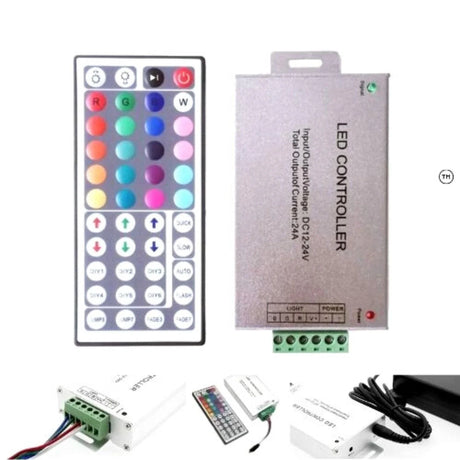
 £35.85Unit price /Unavailable
 £29.85Unit price /Unavailable
 £38.95Unit price /Unavailable
 £39.85Unit price /Unavailable
 £29.85Unit price /Unavailable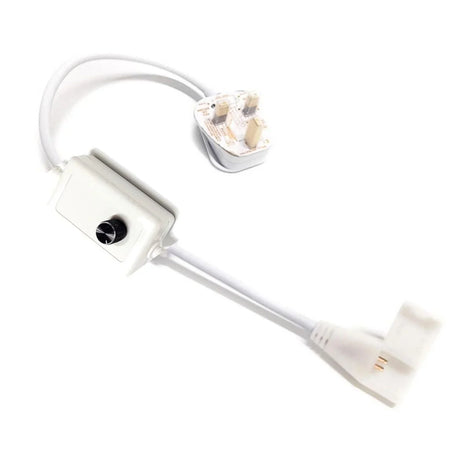
 £29.85Unit price /Unavailable
 £29.85Unit price /Unavailable